Manual HWLine Control
This module can connect with any Firmata I/O module to allow the user manual control over the Firmata device.
Usage
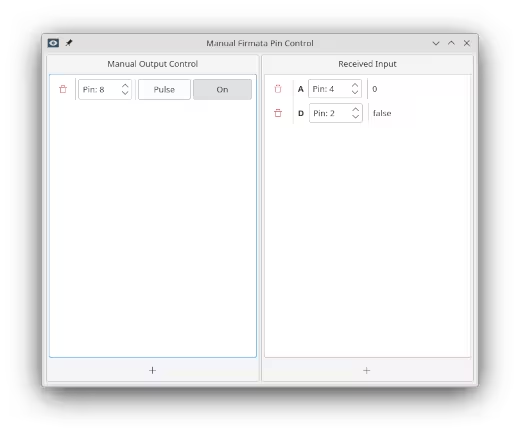
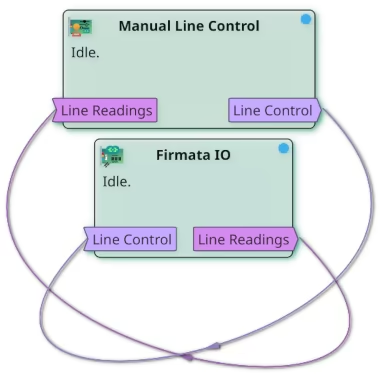
Add manual outputs and raw data display controls in the module's display panel. Once an experiment is running, and the "Firmata User Control" is connected to a "Firmata IO" module with both its ports, data can be read from and written to the device.
Example wiring for manually controlling a Firmata device and reading values from it:
See also:
- Tutorial: Firmata Interface Tutorial
Ports
| Name | Direction | Data Type | Description |
|---|---|---|---|
| 🠺Firmata Input | In | LineReading | Read data from the Line Readings port of a Firmata IO module. |
| Firmata Control🠺 | Out | LineCommand | Write line commands to the Line Control port of a Firmata IO module. |
Stream Metadata
Default stream metadata.